Cloud DMA
Hosted external setup

At a glance
Key capabilities
What Cloud DMA focuses on before you open the full module list.
Plus 4 additional modules in the operator portal—see the full list below.
Overview
Built around Cloud DMA deployment
How this build fits ranked, Turbo, and patch-day workflows.
The Cloud DMA utility documents how hosted DMA setups pair with Elite ESP, radar, and aim modules on Windows. It does not replace Elite—it explains deployment when your operator requires external read hardware.
Use the checklist after checkout to confirm DMA firmware, overlay latency, and panic-key behavior before you queue competitive PvP.
Hosted DMA compatibility
Cloud DMA pairs external read paths with the Elite overlay stack on supported Windows rigs. Run the portal compatibility scan before enabling flight ESP or radar on a second machine.
When to use Cloud DMA
Choose this path when your operator requires a hosted DMA session instead of a single-PC external loader. Checkout still unlocks Elite modules—DMA is an optional deployment layer, not a separate cheat build.
Modules
What's included
Every module and overlay shipped with Cloud DMA—toggle and tune in the operator portal.
- Hosted DMA compatibility scan
- External overlay pairing guide
- Radar sync checklist
- Second-machine deployment notes
- Portal verification workflow
- Operator Discord escalation path
- Elite module cross-reference
- Steam and PURPLE launcher notes
Experience
In the client · After you buy
Use the screenshots above for Cloud DMA—below is what each layer means and how access works after checkout.
In-game layers
- Layer A
Mod menu
Combat mode, panic key, color presets, and save/load config profiles.
- Layer B
2D radar
Faction-coded blips, boss markers, and adjustable zoom and range.
- Layer C
Player ESP
Box styles, skeleton, nameplate, and faction colors tuned for Elyos and Asmodian PvP.
Guides
Learn more about Cloud DMA
Curated articles for setup, tuning, and patch-day checks that match this product.
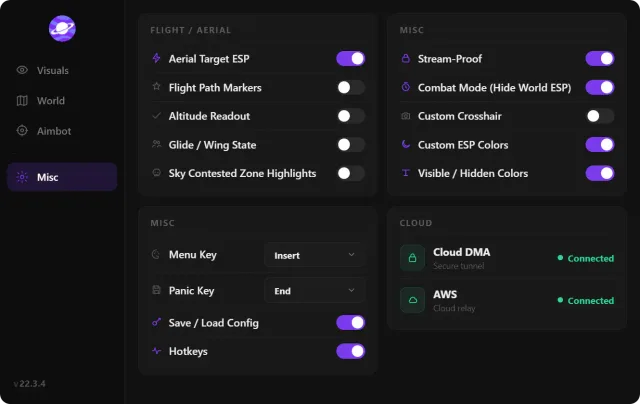
Pair hosted DMA with Elite overlays—hardware scan and latency checks.
Why external overlays matter, launch order, and when to reload after patches.
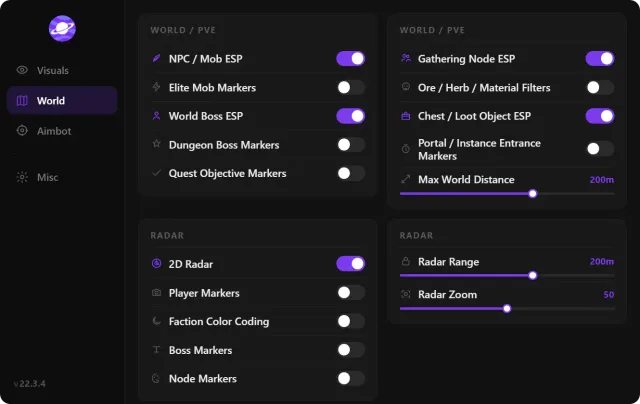
Status banner, loader reload, and conservative profiles after client updates.
Launcher differences, patch folders, and overlay stability on each client.
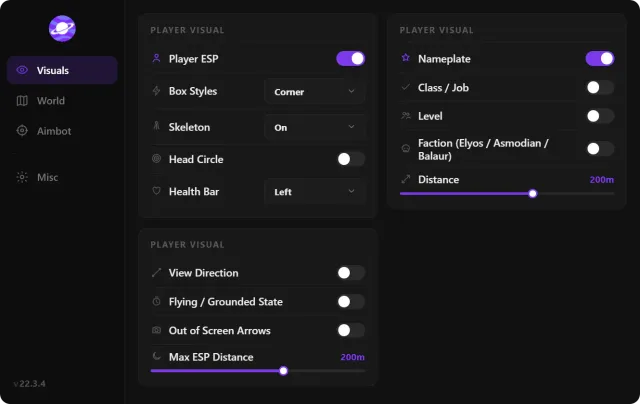
Walkthrough of Elite modules—player ESP, soft aim, 2D radar, gathering ESP, and stream-proof overlays.
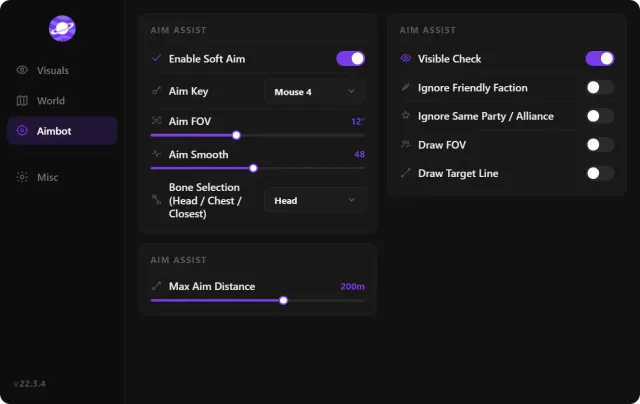
Tune aim key, FOV, smoothing, bones, and visibility checks before Elyos vs Asmodian fights.
FAQ
Questions about this page
Answers tied to what you are reading—visit the FAQ page for every topic.